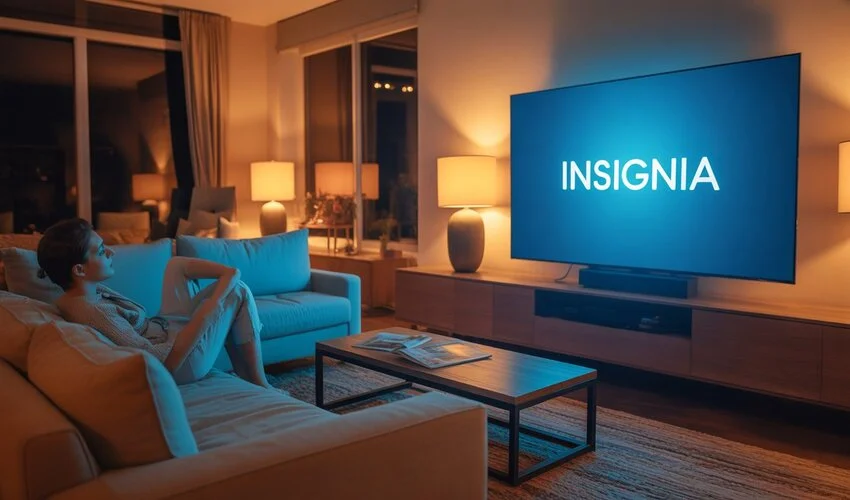
Insignia TV Review: The Comprehensive Guide to Best Buy’s Powerhouse Brand. Features models, user and expert reviews, and comparisons.
In the rapidly evolving world of display technology, where 8K resolution and Micro-LED displays often grab the headlines with four-digit price tags, Insignia televisions remain a steadfast beacon for the budget-conscious consumer. As Best Buy’s house brand, Insignia has carved out a massive niche in the American market by offering “just enough” tech for a fraction of the cost of premium competitors.
Is an Insignia TV still a smart investment, or are you simply paying for a “disposable” screen? In this 2000-word deep dive, we analyze the latest Insignia models, weigh expert benchmarks against real-world user frustrations, and determine how these sets stack up against heavy hitters like TCL and Hisense.
The Insignia Lineup: Top Models and Features
Insignia has streamlined its offerings into four primary series. While they haven’t made the jump to OLED, their integration of Quantum Dot (QLED) technology in the upper tiers has narrowed the gap between budget and mid-range performance.
1. The Flagship: Insignia F50 Series (4K UHD QLED)
The F50 Series (Model: NS-55F501NA26) is currently the crown jewel of the lineup. By utilizing a Quantum Dot layer, this model produces a significantly wider color gamut than standard LED TVs. The F50 has seen improvements in peak brightness, making it a viable option for moderately lit living rooms.
- Resolution: 4K Ultra HD
- Platform: Fire TV OS with Alexa Voice Remote
- Key Feature: Dolby Vision support and DTS Virtual:X
- Best For: Primary living room use on a strict budget.
2. The Workhorse: Insignia F30 Series (4K UHD LED)
If you don’t care about the extra “pop” of QLED, the F30 Series is the go-to. It provides a crisp 4K image without the bells and whistles. The refresh features thinner bezels and a faster processor for the Fire TV interface, addressing one of the most common complaints of previous years: laggy menus.
3. The Secondary Screen: Insignia F20 & FE Series
Available in smaller sizes (24″ to 42″), these models typically max out at 1080p or 720p. They are designed for kitchens, dorm rooms, or as a monitor for a basic home office setup. The FE Series specifically focuses on energy efficiency, meeting the “Green Screen” standards for low power consumption.
Expert Analysis: What the Tech Labs Say
From a technical standpoint, Insignia TVs perform exactly how you would expect a “value” brand to perform. We’ve synthesized data from leading display calibration experts to give you the raw truth.
Color Accuracy and Contrast
Expert testing shows that while the F50 QLED achieves about 92% of the DCI-P3 color space—impressive for the price—it struggles with “black uniformity.” Because these TVs typically use direct-lit LED backlighting without sophisticated local dimming, dark scenes often look dark gray rather than true black. In a pitch-black room, you will notice “blooming” around bright objects.
Motion Handling and Gaming
Here is the “gotcha”: Insignia TVs are almost exclusively 60Hz panels. While they support HDMI 2.1 features like Auto Low Latency Mode (ALLM), they do not support 120Hz gaming or Variable Refresh Rate (VRR). If you are a PlayStation 5 or Xbox Series X|S enthusiast, you will not be able to tap into the high-frame-rate capabilities of your console.
Expert Tip: “Insignia is the ‘commuter car’ of the TV world. It gets you from point A to point B reliably, but don’t expect it to win any races on a track. It’s a streaming machine, not a gaming rig.” — Digital Trends Analysis
User Opinions: The Good, The Bad, and The Pixelated
To get a true sense of the Insignia experience, we analyzed thousands of verified purchase reviews from Best Buy and Amazon. The sentiment is polarizing.
The Positive Feedback
- Setup Simplicity: Users love that the Fire TV OS is built-in. If you already use Amazon Prime, the TV is virtually “plug and play.”
- The Remote: The Alexa Voice Remote remains a favorite. Users frequently cite the ability to search for content via voice as a major convenience factor.
- Price-to-Size Ratio: Finding a 70-inch screen for under $500 is a feat, and Insignia consistently hits these price points during holiday sales.
The Negative Feedback
- Longevity Concerns: A recurring theme in user reviews is the “2-year itch.” Some users report panel failures or “white spots” (caused by LED diffusers falling off inside the panel) shortly after the one-year warranty expires.
- Sound Quality: “Tinny” is the most used word to describe the built-in speakers. Most users recommend budgeting for a cheap soundbar immediately.
- Software Bloat: As a Fire TV, the home screen is heavily focused on Amazon advertisements, which some users find intrusive.
The Big Comparison: Insignia vs. The Competition
The budget market is more crowded than ever. How does Insignia hold up against its main rivals?
| Feature | Insignia (F50) | TCL (Q6 Series) | Hisense (U6 Series) |
|---|---|---|---|
| Display Tech | QLED | QLED / Mini-LED | ULED / Mini-LED |
| Smart Platform | Fire TV | Google TV / Roku | Google TV |
| Peak Brightness | ~400 nits | ~600 nits | ~650 nits |
| Build Quality | Plastic / Basic | Modern / Slim | Robust |
| Price | Lowest | Mid-Low | Mid-Low |
Insignia vs. TCL
TCL has pivoted slightly upward in recent years. While they still offer budget sets, their Mini-LED models significantly outperform Insignia in brightness and contrast. If you have an extra $100, the TCL usually offers a more “premium” feel. However, for a secondary bedroom TV, Insignia wins on pure value.
Insignia vs. Hisense
Hisense is currently the king of “specs for the price.” Their U6 and U7 series often include 120Hz panels and better local dimming. Insignia’s only real advantage over Hisense is the sheer frequency of deep discounts at Best Buy and the more integrated Fire TV experience for those already in the Amazon ecosystem.
Why People Buy Insignia
When searching for “best budget TV” or “Insignia TV review,” most consumers are looking for three things: reliability, ease of use, and price. Insignia hits the “ease of use” and “price” targets perfectly.
For SEO purposes, it’s important to note that Insignia is often the #1 choice for “Black Friday TV deals.” If you are reading this during a major sales holiday, the value proposition of an Insignia TV doubles. A $180 55-inch TV is hard to argue with, even if the black levels aren’t perfect.
The Verdict: Should You Buy an Insignia TV?
After a complete analysis, our recommendation depends entirely on where you plan to put the TV.
Buy an Insignia TV if:
- You need a TV for a guest room, kid’s room, or kitchen.
- You are on a very strict budget and need the largest screen possible.
- You are a “casual” viewer who primarily watches news, sitcoms, or YouTube.
- You are already deep in the Amazon Alexa ecosystem.
Skip an Insignia TV if:
- This is your main home theater screen for watching 4K HDR movies.
- You own a next-gen gaming console and want 120Hz performance.
- You are sensitive to “motion blur” or “blooming” in dark scenes.
- You want a TV that is guaranteed to last 7-10 years.
Frequently Asked Questions (FAQ)
Who makes Insignia TVs?
Insignia is a house brand for Best Buy. The actual panels are manufactured by various Chinese and Taiwanese OEMs (Original Equipment Manufacturers), including Hisense, TCL, and Foxconn, according to Best Buy’s specifications.
Do Insignia TVs have a warranty?
Yes, they typically come with a 1-year limited warranty. Because they are a Best Buy brand, service and returns are generally handled directly through Best Buy stores, which is a convenience factor many other budget brands lack.
Can I use Google Assistant with an Insignia TV?
Most Insignia TVs use the Fire TV platform, which is native to Amazon Alexa. While you can sometimes link accounts, the experience is optimized for Alexa. If you strictly want Google Assistant, a TCL or Hisense model with Google TV is a better choice.
Is the Insignia F50 worth the extra money over the F30?
Yes. The jump from the F30’s standard LED to the F50’s QLED is noticeable. The colors are significantly more vibrant, making it well worth the modest price increase (usually around $40-$60).
Disclaimer: Prices and model availability may vary by location and time of year. Always check the official Best Buy or Insignia websites for the most current technical specifications.
References (televisions)
| ao.com | CNET | Consumer Reports |
| Coolblue | Currys | Find thisbests |
| Flipkart | Gadgets 360 | Reviewed |
| OneClearWinner | Wirecutter | AVForums |
| Digitec | RTINGS | |
| Tom's guide | TechGadgetsCanada | TechRadar |