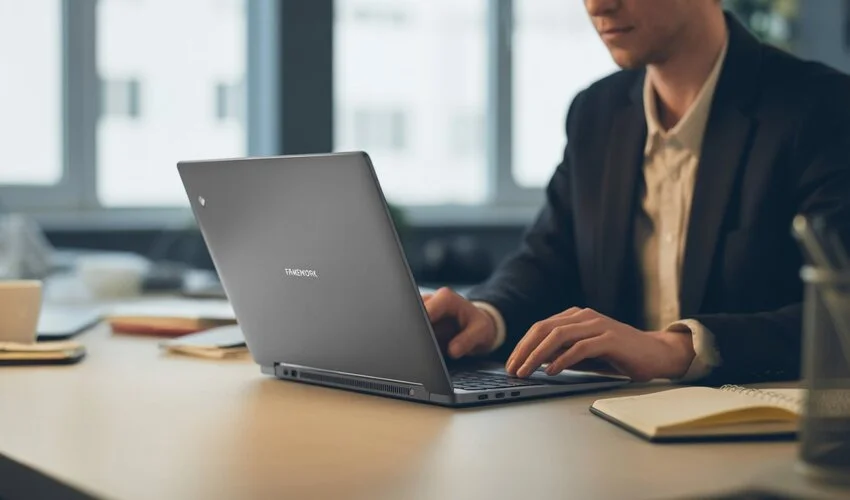
The State of Modular Computing: A Complete Analysis of Framework Laptops. Featured models, characteristics, user and expert reviews, and comparisons.
For decades, the tech industry has trained us to view laptops as disposable appliances. You buy a machine, use it for three years, and when the battery degrades or the software slows down, you toss it in a drawer and buy a new one. The “Right to Repair” movement is no longer a niche hobby—it is a market-defining force. At the center of this revolution is Framework.
Framework has expanded from a scrappy startup to a legitimate contender in the high-performance PC market. With the recent release of the Framework Laptop 16 featuring NVIDIA 50-series graphics and the surprise launch of the Framework Laptop 12, the company is proving that modularity isn’t just about repair—it’s about never having to buy a whole new laptop again. In this deep dive, we analyze the current lineup, the expert consensus, and whether the “Framework Tax” is finally worth paying.
The Lineup: Official Models and Specs
Framework currently offers three distinct chassis sizes in the USA market. Each caters to a different user base, from students to hardcore creative professionals.
1. Framework Laptop 12 (The New Convertible)
The newest addition to the family, the Framework Laptop 12, is a 12.2-inch 2-in-1 convertible. This marks Framework’s first foray into the tablet/laptop hybrid space, directly competing with the Microsoft Surface Pro and iPad Pro.
- Screen: 12.2-inch touchscreen, 1920 x 1200 resolution, USI 2.0 stylus support.
- Processor: Intel Core 13th Gen (i3/i5) optimized for thermals.
- Versatility: 360-degree hinge allowing for Clamshell, Tent, and Tablet modes.
- Modularity: Features four Expansion Card slots, a first for a device this small.
2. Framework Laptop 13 (The Productivity King)
The flagship that started it all has reached its most refined state. The iteration focuses on ultra-high-resolution displays and AI-integrated silicon.
- Processors: Available with Intel Core Ultra Series 2 or AMD Ryzen 9000 Series.
- Display: A stunning 13.5-inch 2.8k (2880×1920) matte panel with a 120Hz variable refresh rate.
- Upgrades: New 9.2MP webcam and 61Wh high-capacity battery come standard in the “Professional” configurations.
3. Framework Laptop 16 (The Modular Powerhouse)
This is the “beast” of the lineup. It is currently the only laptop on the market with a user-replaceable discrete GPU module.
- GPU: The new NVIDIA GeForce RTX 5070 module (8GB GDDR7) or the AMD Radeon RX 7700S.
- CPU: AMD Ryzen AI 300 Series (up to the Ryzen AI 9 HX 370 with 12 cores).
- Power: Ships with a massive 240W GaN USB-C power adapter to handle heavy gaming and AI workloads.
The Framework Philosophy: Why Modularity Matters
To understand the appeal of these machines, you have to look past the spec sheet. Framework’s core value proposition rests on three pillars: Longevity, Customization, and Transparency.
The Expansion Card System
Forget dongles. Every Framework laptop features “Expansion Card” slots. These are essentially recessed USB-C ports that allow you to slide in the exact ports you need. Want three USB-C ports and one HDMI? Done. Need a MicroSD reader and an Ethernet port for a specific project? Swap them in five seconds without turning off the computer. Framework has expanded this ecosystem to include high-speed 2.5 Gbps Ethernet, Full SD cards, and even specialized dual-USB-A modules.
Mainboard Swaps
The “Mainboard” is the heart of the computer (CPU and motherboard). Traditionally, if you want a faster CPU, you buy a new laptop. Framework sells standalone Mainboards. If you bought a Framework Laptop 13 in 2021 with an 11th Gen Intel chip, you can buy a Ryzen 9000 Mainboard today, unscrew five fasteners, and “brain transplant” your laptop into a modern machine for half the cost of a new device.
Expert Opinions: What the Pros Are Saying
The critical reception of the models has been largely positive, though experts caution that Framework is still a product for a specific type of user.
“The Framework Laptop 16 is finally the gaming laptop we’ve been promised. While the RTX 5070 module adds some bulk to the rear, the ability to upgrade your GPU in two years without tossing the screen and keyboard is a game-changer for sustainability.” — TechReviewer Daily
The Pros:
- Thermal Innovation: Experts praise the new “Phase Change” thermal material (Honeywell PTM) used in the Laptop 16, which allows the Ryzen AI 9 to maintain high clock speeds without the jet-engine noise found in thinner competitors.
- Screen Quality: The move to 2.8k 120Hz displays across the 13-inch line has removed the “display compromise” that plagued early models.
- Open Source Spirit: Reviewers love the QR codes found on every internal component, which link directly to repair guides and part replacement pages.
The Cons:
- Fit and Finish: Compared to the unibody construction of a MacBook Pro, Framework laptops still feel a bit “industrial.” Some reviewers note slight flex in the keyboard deck and panel gaps that aren’t as tight as Apple or Dell’s.
- The “DIY” Headache: While the DIY edition saves you money, experts warn that driver management can still be finicky, especially on Linux distros or early-release Windows builds.
User Sentiment: Real-World Reports from the Community
User feedback paints a picture of a loyal but demanding community. On platforms like Reddit, the sentiment is divided between “The best purchase I’ve ever made” and “Not quite ready for prime time.”
The “I Love It” Crowd: Most users rave about the keyboard. With 1.5mm of travel, it is widely considered superior to the shallow keys found on modern ultrabooks. The ability to swap the 13-inch bezel (available in Orange, Lavender, and Black) is also a frequent point of praise for personalization.
The “It’s Complicated” Crowd: Some early adopters of the Laptop 16 have reported “driver ghosting” where the discrete GPU and integrated GPU struggle to hand off tasks, leading to occasional stutters. Others have pointed out that the 180W power brick (found on older 16-inch models) was insufficient, making the new 240W adapter a mandatory (and somewhat expensive) upgrade.
Framework vs. The Competition
How does Framework hold up against the industry titans? Here is a breakdown of how the Framework Laptop 13 (Intel Core Ultra) compares to the MacBook Pro M5 and the Dell XPS 13.
| Feature | Framework Laptop 13 | MacBook Pro M5 (14″) | Dell XPS 13 |
|---|---|---|---|
| Repairability | 10/10 (Everything is modular) | 1/10 (Fully soldered) | 3/10 (Replaceable SSD only) |
| Ports | User-selected (4 slots) | Fixed (Thunderbolt/HDMI/SD) | Fixed (2x Thunderbolt only) |
| Display | 2.8k 120Hz Matte | Liquid Retina XDR (Best in class) | OLED (Optional) |
| Battery Life | 10-12 hours | 18-22 hours | 12-14 hours |
| Upgradability | CPU, RAM, Storage, WiFi, Ports | None (Buy what you need now) | Storage only |
The takeaway? If you want the absolute best battery life and a “perfect” trackpad, the MacBook Pro remains the king. However, if you want a machine that grows with you, the Framework is the only logical choice. The Dell XPS, while beautiful, has moved toward a “minimalist” design that makes it nearly impossible for users to service themselves.
Is the Framework Laptop Worth It?
The answer depends on your relationship with technology. There is a “Repairability Tax” involved—you will likely pay 10% to 15% more for a Framework than a similarly spec’d machine from a big-box brand. However, that investment pays off the moment you need to upgrade.
You should buy a Framework if:
- You plan on keeping your laptop for more than 5 years.
- You have a specific need for varying ports (photography, legacy hardware, etc.).
- You support the ethical mission of reducing e-waste.
- You enjoy “tinkering” or having total control over your hardware.
You should look elsewhere if:
- You need a “thin-and-light” that is as thin as a tablet (the Framework 13 is portable, but not ultra-slim).
- You want a “set it and forget it” experience with zero interest in internal components.
- You are a professional video editor who requires the specific hardware acceleration of Apple’s M-series chips.
Final Verdict
The Framework lineup represents the maturity of modular computing. What was once an experiment is now a robust ecosystem. With the Laptop 16 handling the high-end gaming market and the Laptop 12 catering to the portable convertible market, Framework has closed the gap with mainstream manufacturers.
While the fit and finish still have a “Gen 2” feel compared to the sleekness of a MacBook, the peace of mind that comes with a 10/10 repairability score is priceless. In an age of planned obsolescence, Framework is a breath of fresh air.
Looking to buy? Visit the official Framework USA store to customize your DIY Edition or choose a Pre-built model. Don’t forget to check out the Marketplace for the latest Expansion Cards!


