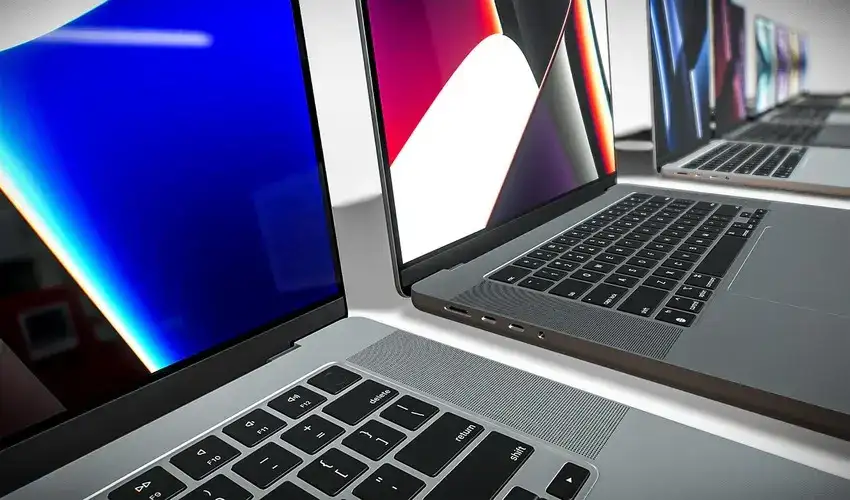
Discover the best cheap laptops available now, with expert and user opinions plus a detailed look at the most outstanding recent budget models.
Cheap laptops are no longer slow, flimsy machines that barely manage web browsing; recent budget models deliver enough power for work, school, and streaming without draining your bank account. By combining expert test data with thousands of user reviews, it is possible to highlight a handful of affordable laptops that consistently stand out for performance, battery life, and durability under about 500 to 700 dollars.
What “Cheap Laptop” Really Means
In most expert guides, a cheap or budget laptop typically means a machine priced under about 500 dollars, while “value” laptops stretch to roughly 700 dollars if the extra performance or features justify the cost. At these prices you should still expect at least 8 GB of RAM, a modern mobile processor, and a full HD display, even if you sacrifice premium extras like all-metal designs or OLED screens.
Experts also separate true budget laptops into three main groups: Chromebooks for simple, web‑centric use, low‑cost Windows machines for general productivity, and entry‑level “creator” or light gaming models with stronger CPUs or GPUs. User feedback shows that satisfaction is highest when buyers choose the category that matches their real workload instead of chasing specs that sound impressive but are rarely used.
Key Specs to Prioritize
Before picking a specific model, it helps to prioritize a few core specifications that matter far more than most marketing claims at the cheap end of the market. Experts generally recommend aiming for at least 8 GB of RAM, 256 GB of SSD storage, and a recent Intel Core, AMD Ryzen, or efficient Chromebook processor for smooth everyday use.
- Processor: Recent budget picks often use chips like Intel Core i3‑N series, lower Core i5 models, or AMD Ryzen 5 7000‑series U‑class processors, which comfortably handle office work, web browsing, and streaming.
- Memory and storage: 8 GB of RAM is the realistic minimum for Windows 11, and 16 GB provides a smoother experience if you open many tabs; a 256 GB SSD helps the system feel snappy and offers enough room for documents and apps.
- Display: A 14‑ to 16‑inch full HD (1920 x 1080) panel is now common in affordable laptops, and reviewers warn against dropping below that resolution because text and images look noticeably less sharp.
- Battery life: Good budget designs are now reaching 8 to 10 hours of light use in independent tests, enough to cover a full day of classes or office work away from the charger.
Expert vs. User Opinions
Professional reviewers focus on objective tests—benchmarks, color accuracy, battery rundown, and build quality—so their rankings highlight the best cheap laptops on pure performance and usability. Users, on the other hand, pay closer attention to real‑world issues such as fan noise, trackpad reliability, Wi‑Fi stability, and how well a laptop holds up after a year of travel or campus life.
Across recent budget guides, experts tend to praise models with strong keyboards, long battery life, and solid construction even if they look plain, while user reviews strongly reward systems that stay cool and quiet and rarely crash. This combination of lab testing and everyday feedback is why the same handful of cheap laptops—especially from ASUS, Lenovo, and Acer—appear repeatedly on “best of” lists and buyer recommendation threads.
Top Cheap Laptops Right Now
A small group of laptops repeatedly stand out across major review sites and user forums as the best cheap or budget models available today. These machines balance performance, battery life, and price better than most competitors, making them reliable default recommendations for shoppers who want something that “just works.”
| Model | Best for | Key strengths |
|---|---|---|
| ASUS Vivobook 16 (M1605) | Best budget Windows all‑rounder | Great keyboard, solid CPU performance, large 16″ FHD screen |
| Lenovo IdeaPad Slim 3i Chromebook 14 | Best cheap Chromebook | Responsive performance, touch FHD display option, good for students and browsing |
| Acer Aspire Go 15 | Best simple laptop | Good everyday speed, 1080p screen, very affordable |
| Lenovo IdeaPad Flex 5i Chromebook Plus | Best 2‑in‑1 budget Chromebook | Convertible touchscreen, Chromebook Plus performance, ideal for school and casual use |
ASUS Vivobook 16 (M1605)
Independent tests describe the ASUS Vivobook 16 M1605 as one of the best budget Windows laptops because it combines a roomy 16‑inch full HD display with a strong mid‑range AMD Ryzen processor at a price near or under 500 dollars. The keyboard and touchpad receive particular praise, making it comfortable for long writing or coding sessions, while the chassis remains light enough to carry in a backpack.
Users generally rate this model highly for smooth multitasking, with enough power for office work, study, streaming, and light photo editing without noticeable lag. Owners do mention that the design is fairly plain and the speakers are only average, but most accept these trade‑offs because the performance and screen size are outstanding for the price.
Lenovo IdeaPad Slim 3i Chromebook 14
For buyers who live in the browser and prefer ChromeOS, the Lenovo IdeaPad Slim 3i Chromebook 14 stands out as a top cheap choice, especially in configurations with Intel Core i3, 8 GB of RAM, and a full HD touch display. Experts note that this combination delivers quick, responsive performance for web apps, Google Workspace, and video streaming without paying for unnecessary Windows‑class power.
Students and casual users praise this Chromebook for its simple setup, quiet operation, and long battery life, which make it a dependable travel or classroom companion. User feedback does highlight the limited local storage typical of Chromebooks, but cloud‑centric workflows usually reduce the impact of this limitation.
Acer Aspire Go 15
Among traditional clamshell laptops under 500 dollars, the Acer Aspire Go 15 earns repeated recommendations as a no‑fuss machine that “just gets the job done.” Reviews emphasize its competent performance for basic productivity, thanks to a modern Intel processor, along with a sharp 1080p display that is rare at this price only a few years ago.
Real‑world users often describe the Aspire Go 15 as a workhorse for document editing, browsing, and media consumption that feels noticeably faster than older budget laptops. The main compromises are a fairly simple plastic design and only adequate speakers, but buyers looking for raw value rather than style tend to rate it as a bargain.
Lenovo IdeaPad Flex 5i Chromebook Plus
The Lenovo IdeaPad Flex 5i Chromebook Plus targets users who want an affordable 2‑in‑1 device for browsing, streaming, and Android apps with the flexibility of tent and tablet modes. As part of the Chromebook Plus lineup, it meets higher minimum specs than older Chromebooks, including stronger processors and more memory, which helps it feel snappier over time.
Users like the responsive touchscreen, solid build, and comfortable keyboard, making it suitable for taking handwritten notes or watching movies in bed. Many buyers specifically highlight its value when discounted to under 500 dollars, noting that it feels more polished than many similarly priced Windows convertibles.
Other Notable Budget Options
Several other models are frequently recommended in budget laptop roundups, even if they are not always the single top pick. Examples include ASUS’s Zenbook A14, which sometimes drops into mid‑budget territory during sales and offers a thin, light design with strong performance, and student‑oriented Ryzen‑based systems that emphasize all‑day battery life and anti‑glare displays.
Some expert lists also highlight larger 16‑inch or AI‑enabled budget laptops, such as certain Acer Aspire and Lenovo models, which give you more screen space for multitasking while staying in the 600 to 700 dollar range. User reviews for these value‑tier systems stress that they feel “like high‑end laptops from a few years ago,” which is a strong endorsement for cost‑conscious buyers.
How to Choose the Right Cheap Laptop
Choosing the best cheap laptop means matching the model to your real‑world needs instead of chasing the lowest price on a spec sheet. For example, a Chromebook like the IdeaPad Slim 3i or Flex 5i Chromebook Plus is ideal if most of your work happens in the browser, while a Windows laptop such as the Vivobook 16 or Aspire Go 15 is better when you need desktop apps like Microsoft Office or specialized software.
- If you are a student on a tight budget, look for a Chromebook or Windows laptop with at least 8 GB of RAM, strong battery life, and a sturdy chassis that can survive being carried daily.
- If you work primarily at a desk but still want something affordable, a larger 15‑ or 16‑inch screen and comfortable keyboard, as found on the Vivobook 16, may be more important than ultra‑light weight.
- If you value flexibility, a convertible design like the Flex 5i Chromebook Plus lets you switch between typing, drawing, and watching video without paying the premium for high‑end 2‑in‑1s.
Final Thoughts on Cheap Laptops
The current generation of cheap laptops proves that you no longer need to spend four figures to get a machine capable of handling everyday work, study, and entertainment. Models like the ASUS Vivobook 16 M1605, Lenovo IdeaPad Slim 3i Chromebook 14, Acer Aspire Go 15, and Lenovo IdeaPad Flex 5i Chromebook Plus stand out because they pair sensible specifications with strong user satisfaction at truly accessible prices.
By focusing on essentials—processor, memory, storage, display, and battery life—and listening to both expert reviewers and real owners, you can choose a cheap laptop that feels fast and reliable far longer than its modest price tag might suggest. Respecting intellectual property and copyright, buyers should rely on up‑to‑date reviews rather than copied marketing text to make informed decisions about which budget laptop is genuinely the best fit.


